> For the complete documentation index, see [llms.txt](https://learn.mondayhero.io/llms.txt). Markdown versions of documentation pages are available by appending `.md` to page URLs; this page is available as [Markdown](https://learn.mondayhero.io/design-to-flutter/troubleshooting-guide/github-monday-hero-starter-project-troubleshooting.md).
# Github Monday Hero Starter Project Troubleshooting
Monday Hero provides a base project on GitHub to expedite the synchronization process. On this page, we'll address the known issues you might encounter with the template project.
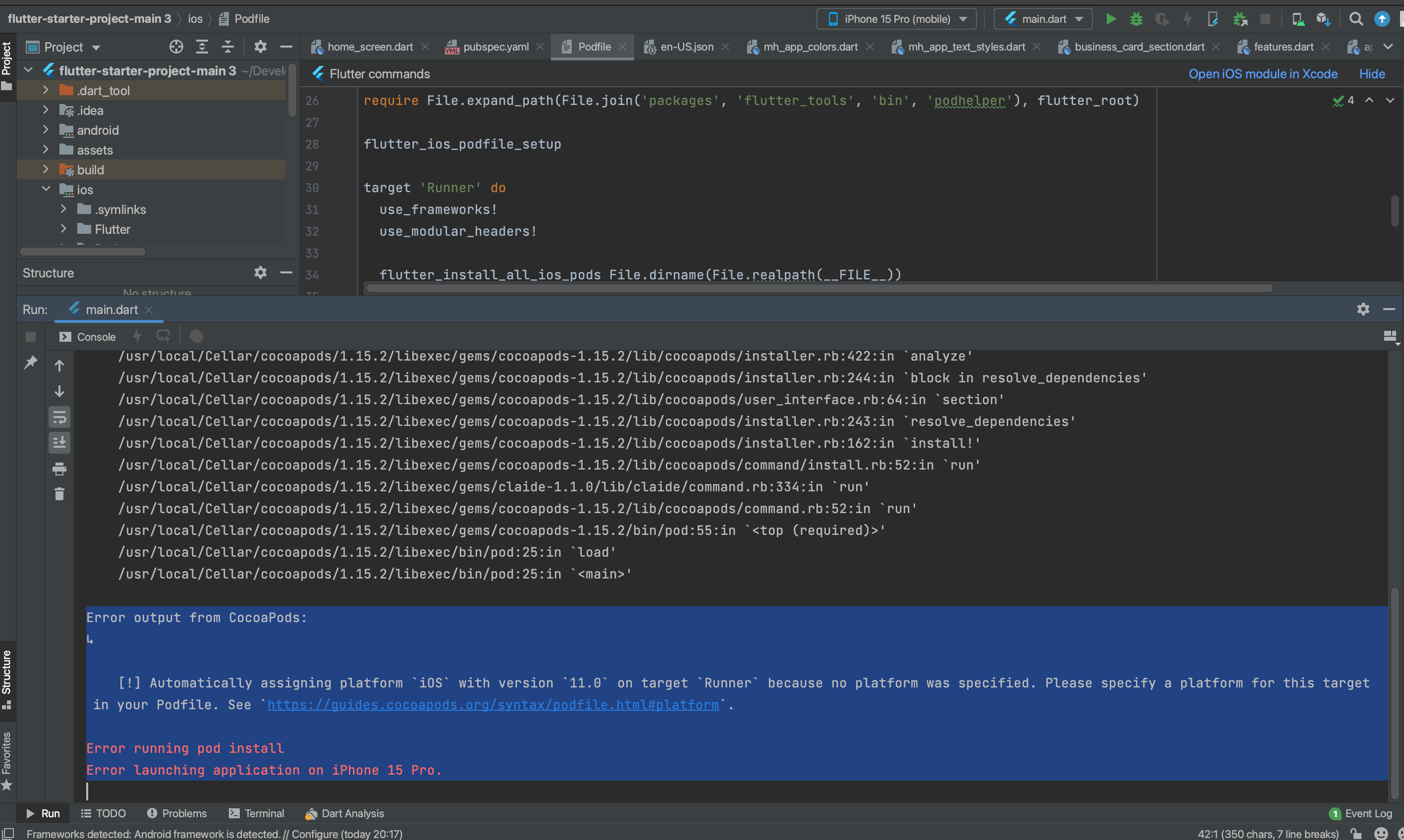
**CocoaPods error:**
If you encounter this error in the terminal:
Cocapods Error
Fix it by following the steps below:
1. Navigate to iOS/podfile.
2. Uncomment the line 'platform :ios, '12.0'' as shown below.
```ruby
platform :ios, '12.0'
```
Podfile Changes 1
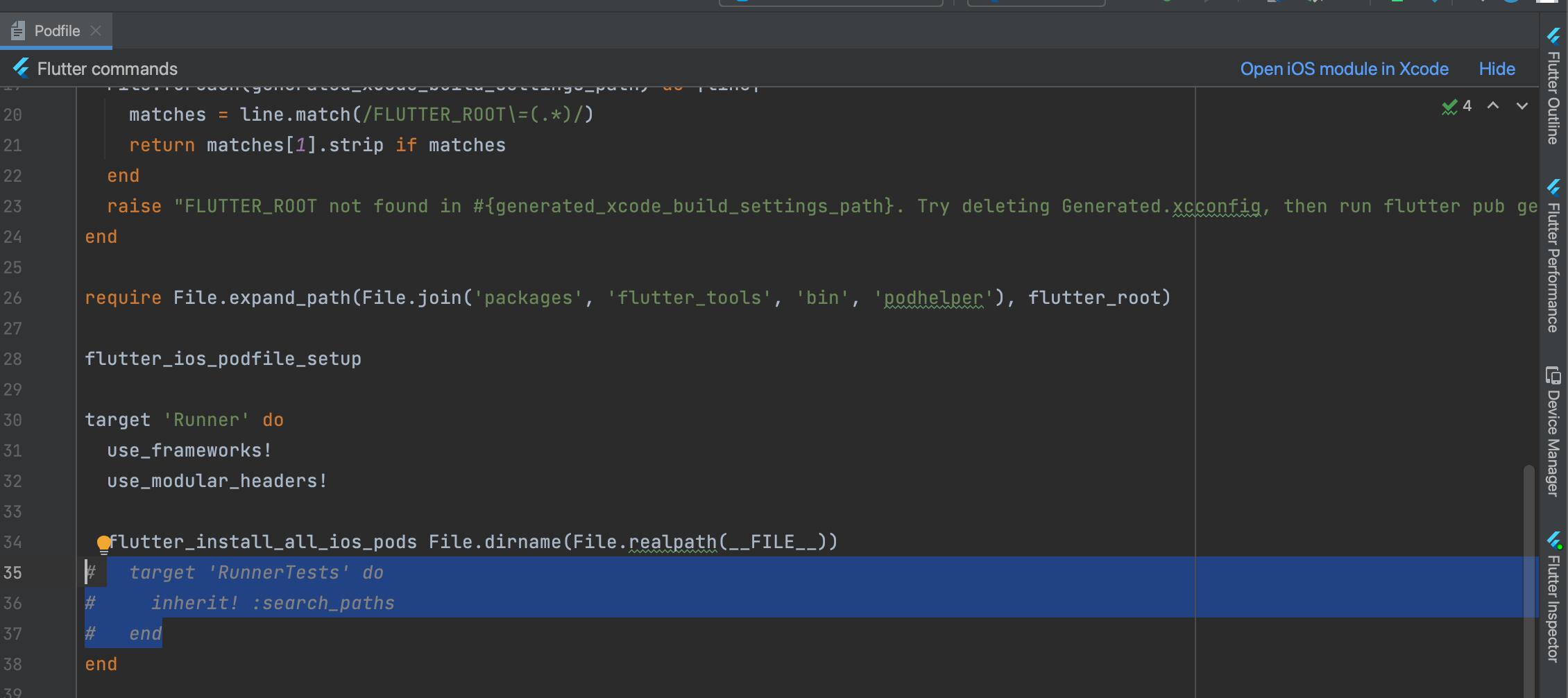
3. Comment or delete the lines below.
Podfile Changes 2
4. Go to the terminal and run 'Flutter clean' followed by 'Flutter pub get'.
You're all set.